Booking.com Review
Introduction
This page allows you to view and manage guest reviews received from Booking.com. It provides a complete overview of guest feedback, including ratings, comments, and score breakdowns, helping you monitor guest satisfaction and respond effectively.
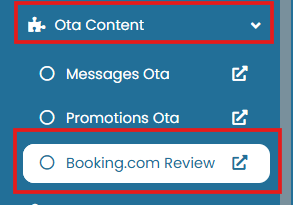
To access this page, go to OTA Content > Booking.com Review.
View and Navigate
At the top of the page, the summary panel displays:
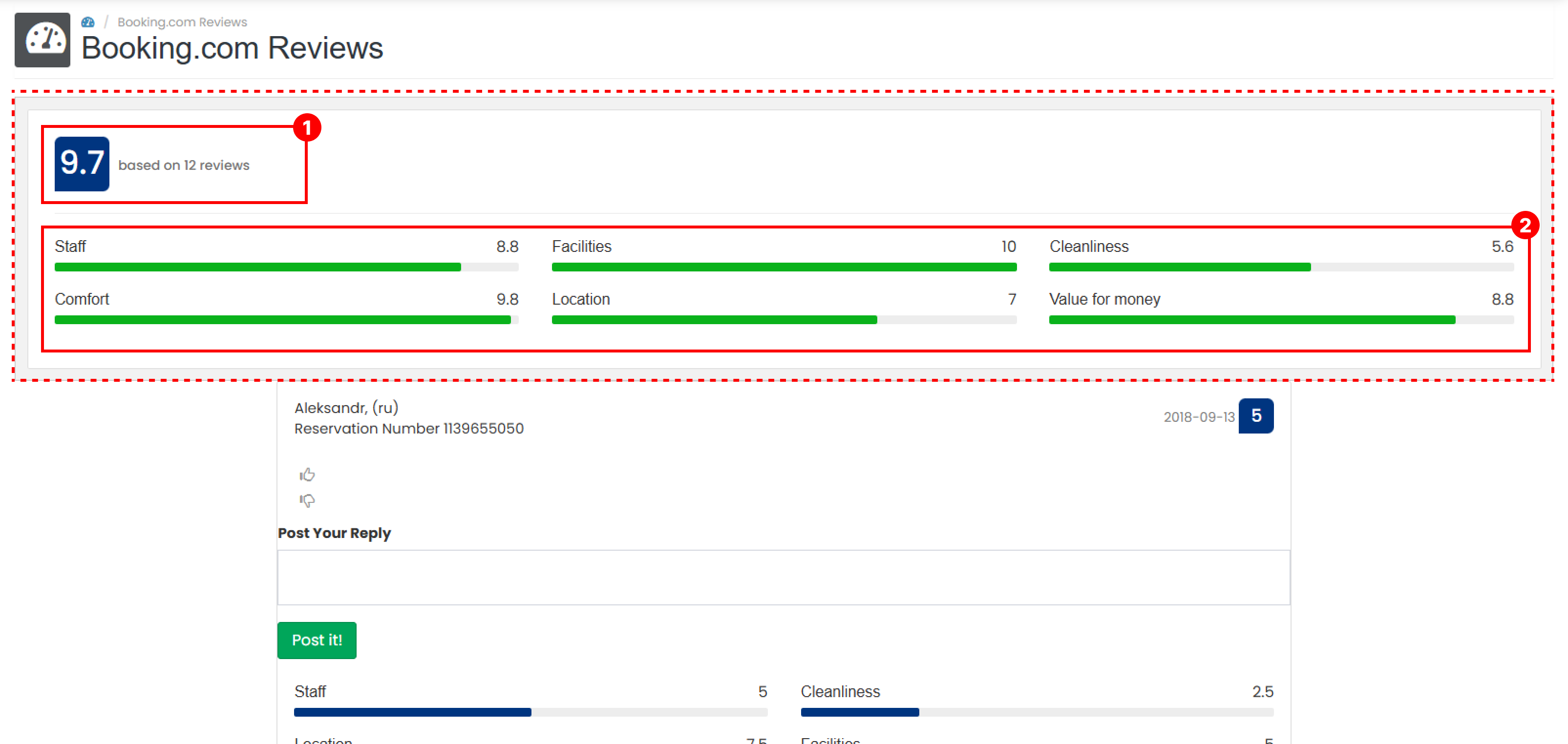
- Overall Review Score
Shows the average rating calculated from all guest reviews, along with the total number of reviews. - Category Review Summary
Displays average scores across six review categories, providing a quick overview of guest satisfaction by category.
Below the summary panel, the review list shows detailed guest feedback. Each review entry includes the following information:
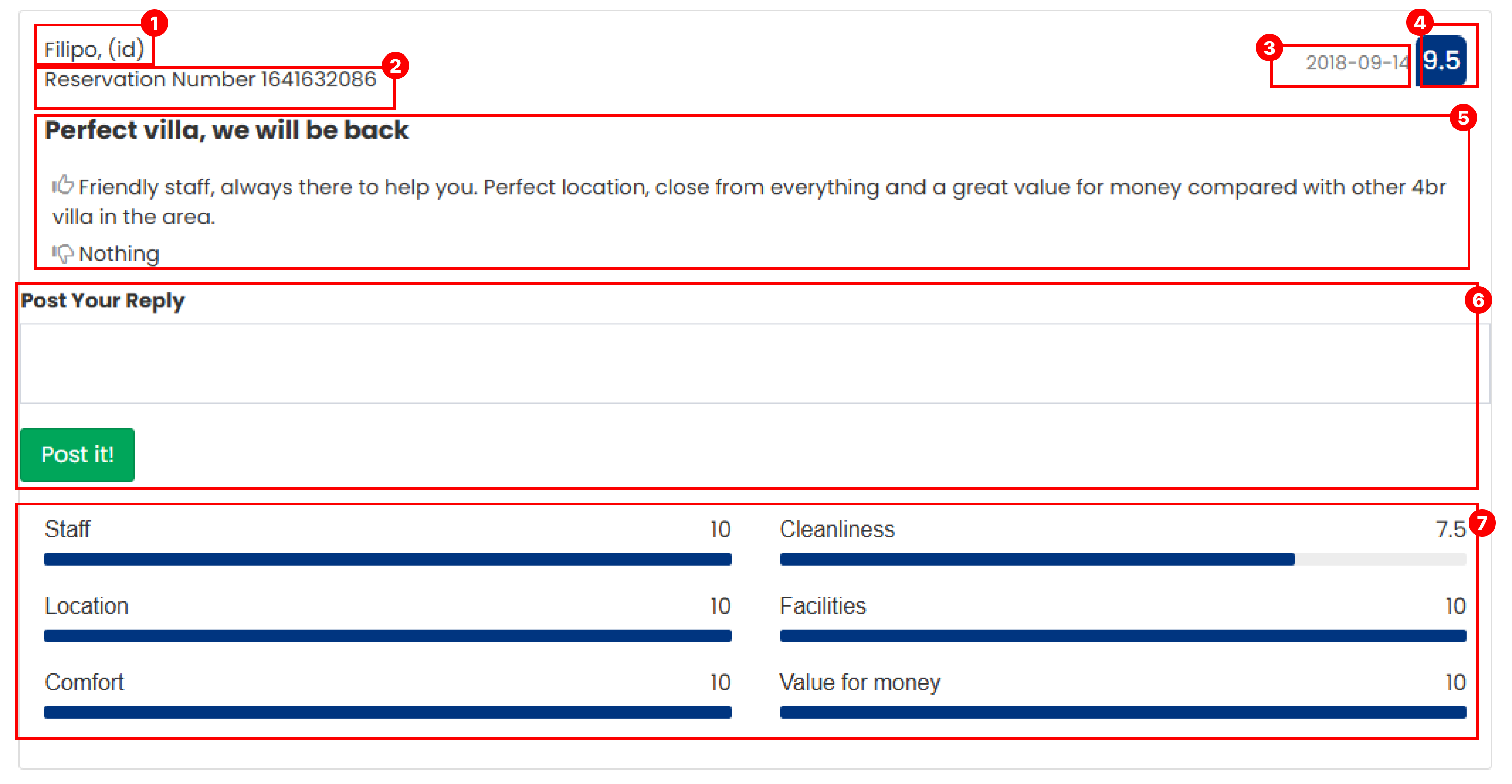
- Guest Name
The name of the guest who submitted the review. - Reservation Number
The reservation ID associated with the review. - Review Date
The date the review was submitted. - Average Score
The overall score calculated from all review categories. - Review Description
Divided into three sections:- Review : General feedback from the guest
- Like : Positive comments
- Dislike : Negative feedback or suggestions for improvement
- Reply Section
Allows staff to respond directly to the guest review. Click the Post Reply button to publish a response. - Score Breakdown
Displays detailed scores provided by the guest, broken down into six evaluation categories.