Switch to channelku version 2
Users can switch between the old and new channelku versions using the toggle switch at the top of the page:
- Enable New Version: Activate the New Version List interface.
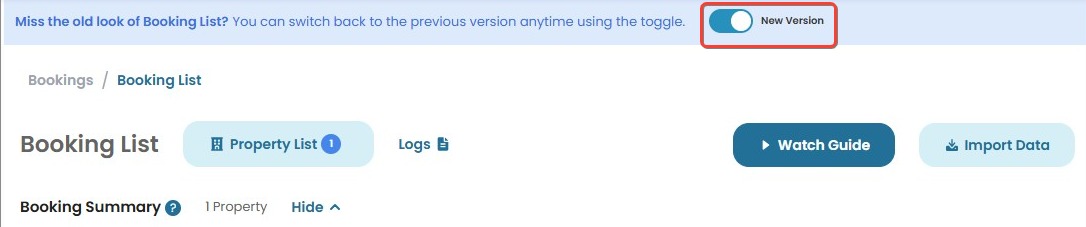
- Disable New Version: Revert to the previous version.

This setting allows flexibility based on user preference.
[!NOTE]
Troubleshooting Channelku Version Switching Issues
If you encounter issues while switching between Channelku versions, try these troubleshooting steps:
Toggle switch is not responding?
- Refresh the page and try again.
- Make sure you have the required permissions to access and switch Channelku versions.
- Try accessing the page from a different browser or device to rule out compatibility issues.
New version is not loading correctly?
- Clear your browser cache and reload the page.
- Disable any active browser extensions that might interfere with the interface.
- Open Channelku in an incognito/private window and test the toggle function.
Reverting to the old version does not take effect?
- Refresh the page and check if the toggle change was successfully applied.
- Log out and log back in to reset your session.
- If the issue persists, contact support for assistance.