Introduction
The Reservations module provides access to the complete reservation history for your property. It allows you to review, filter, and monitor reservation records with an advanced and comprehensive table view. To access this module, go to Channelku > PMS Logs > Reservations.
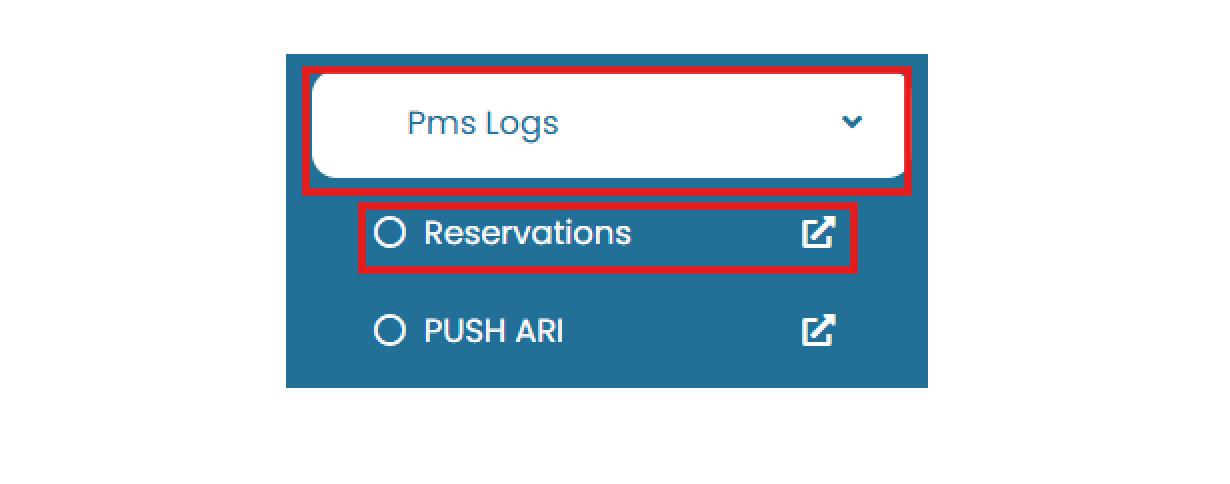
Search Reservations
Filtering Panel
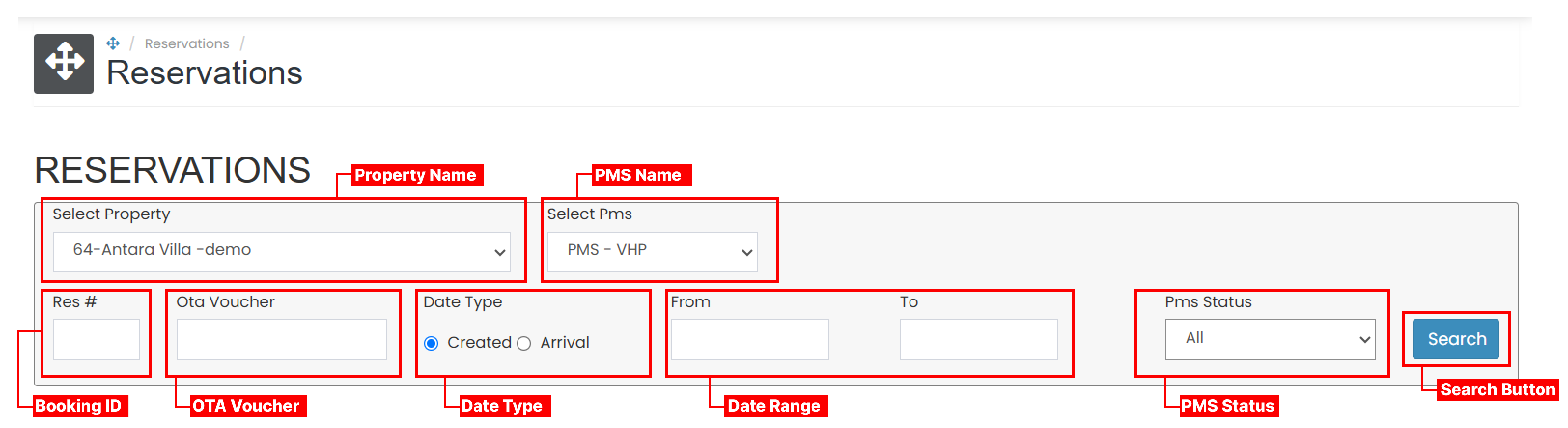
- Property name : Choose the property name to see the reservations on that property.
- PMS : Choose the PMS type.
- Res # : Enter the reservation or booking ID.
- OTA voucher : Input the OTA voucher number (if applicable).
- Data type : Select whether you want to filter by Created Date or Arrival Date.
- Data range : Choose start date and end date using the date picker
- PMS Status : Choose the PMS Status between all, success, under process, fail and not in queue
You may fill in one or multiple fields to narrow the search results. After setting the filters, click Search.
View and Navigate
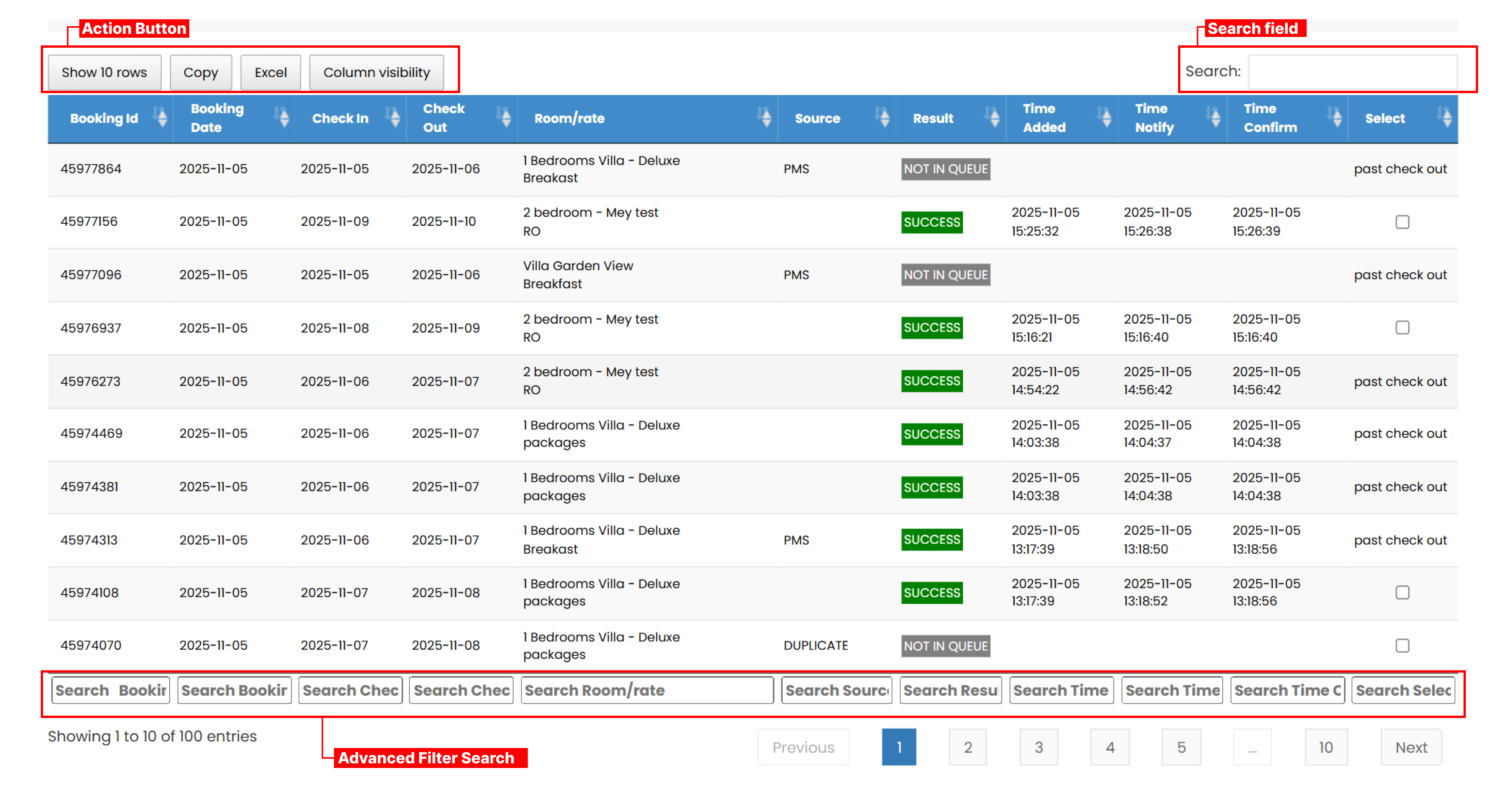
- Action button
- Show all rows : Adjusts how many rows are displayed at once (10, 25, 50, or All).
- Copy button : Copies the currently displayed table data into a text format.
- Excel button : Exports the displayed data into an .xlsx file.
- Column visibility : Select which columns to display. You may show one, several, or all columns.
- Search field : Allows you to search any term that matches any column in the table. The table will automatically display results that match your keyword.
- Advanced Filter Search : Enables field-specific filtering directly in the table header. Each value entered will filter the data based on that particular column.
Repush to PMS
The Repush to PMS feature allows you to resend the most recent 100 reservation records with future check-out dates to the PMS.

- Tick the checkbox to repush all eligible reservations, or manually tick individual entries from the list. Reservations with a completed check-out status cannot be selected.
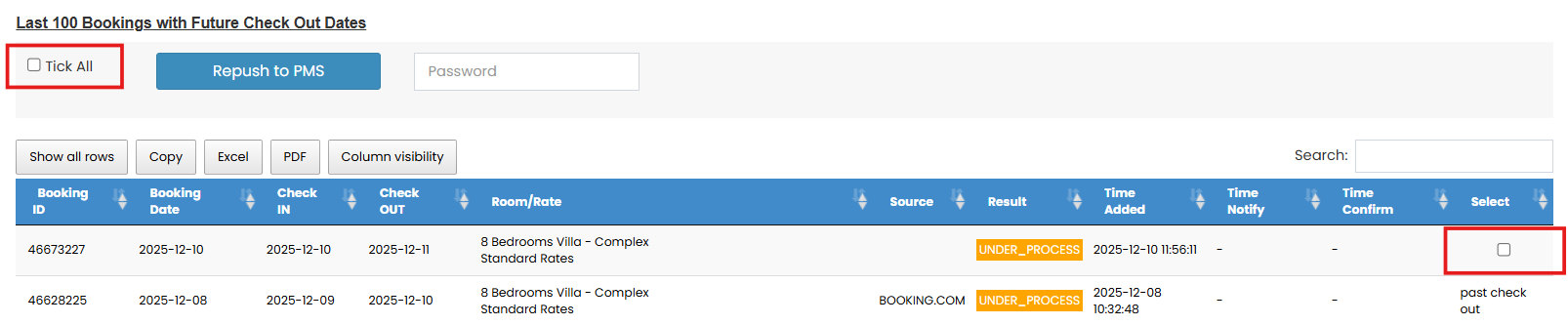
- Enter your password to confirm the repush action.
- Click Repush to begin the process. The repush may take approximately 1–2 minutes to complete.