Profile
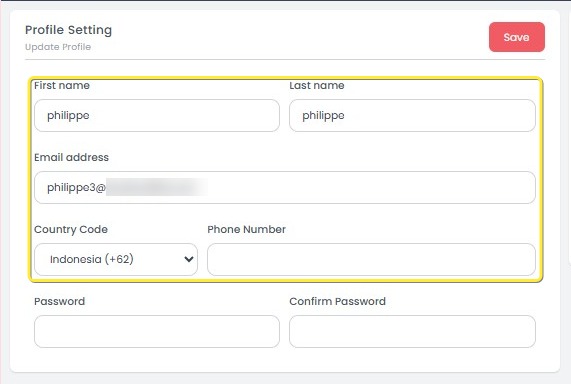
The Profile page allows you to view and update your user account information, including your first name, last name, email address, country code, phone number, and password. Keeping your profile information accurate helps maintain account security and ensures you receive important notifications. After making any changes, click Save to apply and update your profile settings.
How to Update Profile Information
- Go to the Profile page from the left sidebar.
- Update the necessary fields:
- First Name and Last Name: Edit your personal name details.
- Email Address: Update your email if necessary.
- Country Code and Phone Number: Select your country code and input a valid phone number.
- If you want to change your password:
- Fill in the Password and Confirm Password fields with the new password.
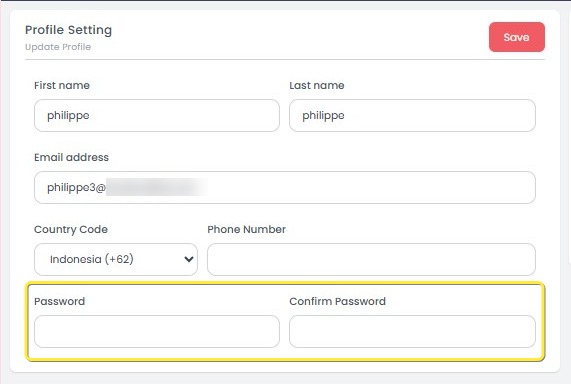
- Fill in the Password and Confirm Password fields with the new password.
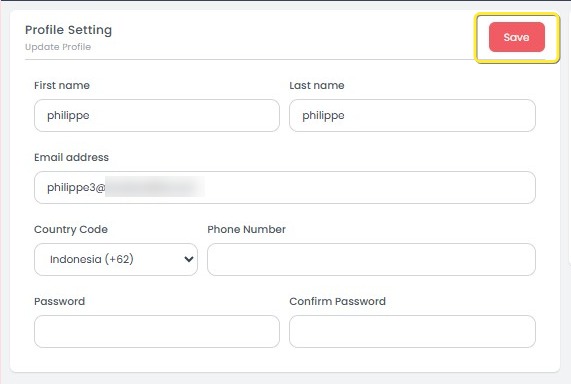
- After completing all updates, click the Save button at the top-right corner.
[!NOTE]
Troubleshooting How to Update Profile Information
Save button is disabled or unresponsive
- Ensure that at least one field has been modified before clicking Save.
- If changing the password, make sure both the Password and Confirm Password fields are filled and match exactly.
Cannot update email address
- Verify that the new email address is correctly formatted (e.g., user@example.com).
- Refresh the page and try again if the input field seems uneditable.
Phone number is not accepted
- Make sure you have selected the correct Country Code before entering your phone number.
- Only numeric values should be used without special characters (e.g., +, -, space).
Password change fails
- Check that both Password and Confirm Password fields are filled identically.
- Ensure the password meets any system security requirements (such as minimum length if applicable).
Changes are not saved after clicking Save
- Verify that all mandatory fields are filled.
- Check your internet connection and try saving again.
- If the problem persists, log out and log back in before updating.